


|
Name |
Quick Share |
|---|---|
|
Google Play Link |
GET IT ON
Google Play
|
|
Category |
Tools |
|
Developer |
Jump Dong |
| Last version | 1.0.0.24 |
|
Updated |
|
|
Compatible with |
Android 7.0+ |
Introduction to Quick Share APK
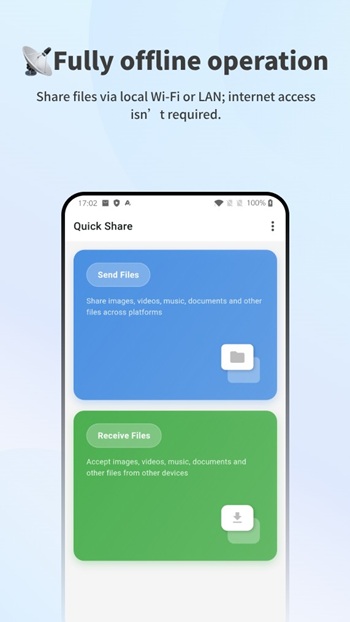
Quick Share is a mobile utility app designed for fast file transfers between nearby devices. It works over local Wi-Fi or LAN, so files move directly from one device to another without relying on the internet. The app focuses on simplicity, making it easy to send photos, videos, documents, or even large files in just a few taps.
The main purpose of Quick Share is to provide a smooth way to exchange data offline. You can use it to send files between phones, tablets, or computers without cables or cloud uploads. This is especially helpful when internet access is slow, limited, or unavailable. It keeps everything local, which also means transfers are usually faster than online sharing.
One of its key strengths is cross-platform support. The app works across Android, iOS, Windows, macOS, and Linux, so you’re not locked into a single ecosystem. This flexibility makes it practical for mixed-device environments, like sharing files between a phone and a laptop from different brands.
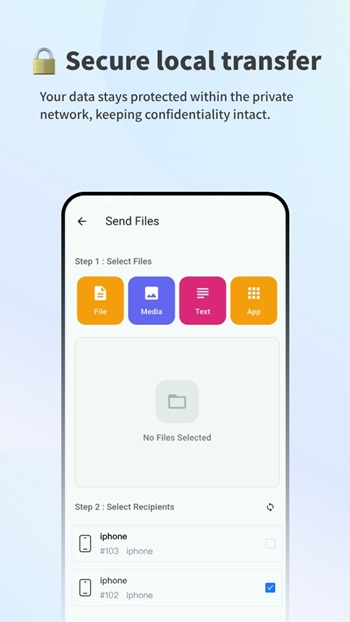
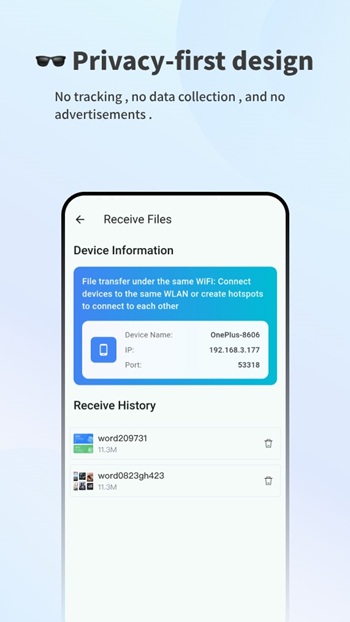
Security and privacy are built into how the app operates. Since transfers happen within a local network, your files don’t pass through external servers. There’s no tracking or data collection, which gives users more control over their information. For people who care about privacy, this is a major plus.
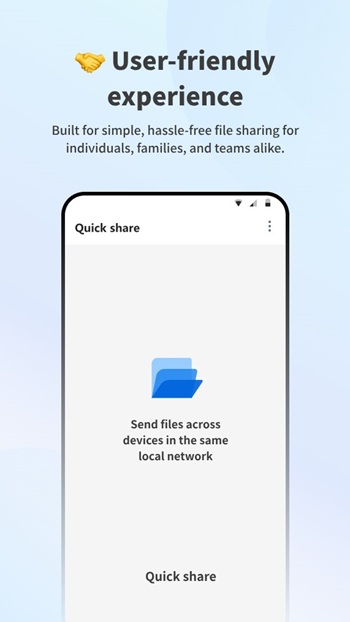
The interface is clean and easy to understand. You open the app, select files, and connect to a nearby device. There’s no complicated setup, and most users can figure it out in seconds. It works well for quick, everyday sharing needs, whether you’re sending a few photos or a full folder.
There are a few limitations to keep in mind. Both devices need to be on the same network or within range, so it won’t work for long-distance sharing. Also, transfer speed depends on the quality of the local connection. In crowded networks, performance may drop slightly.
Quick Share fits people who often move files between devices without wanting to rely on cloud services. It’s useful for students, small teams, families, or anyone who prefers direct, offline transfers. It works best in places like homes, offices, or classrooms where devices are close together.
FAQs Quick Share
What is Quick Share used for?
+
Quick Share is used to transfer files between nearby devices using local Wi-Fi or LAN without needing an internet connection.
Does Quick Share require an internet connection?
+
No, it works completely offline by connecting devices through the same local network.
Can Quick Share send files between different operating systems?
+
Yes, it supports Android, iOS, Windows, macOS, and Linux, allowing cross-platform transfers.
Is Quick Share safe to use for private files?
+
Yes, files stay within the local network and are not uploaded to external servers, which helps protect privacy.
Why is Quick Share faster than cloud sharing?
+
It sends files directly between devices over local Wi-Fi, avoiding upload and download delays from the internet.
Discover More Interesting Apps
-

Poshan Tracker
v25.3.10
210.02 Mb
Updated -
Zupee Ludo Controller
v4.2603.06
79 MB
Updated -
Mod
Free VPN
v2.5.3.1
155.00 Mb
Updated -
Nebula Boost
v1.5.4
10.81 Mb
Updated -
Mod
PigeonCast
v3.6.9
64.79 Mb
Updated -
Mod
Turbo VPN
v4.3.2
64.00 Mb
Updated -
Mod
VPN Super Unlimited Proxy
v2.33.0
83.23 Mb
Updated -
Mod
ShareBox
v1.4.0
78.01 Mb
Updated -
Mod
PDownloader
v1.0.40
106.73 Mb
Updated -
Mod
Terabox
v4.26.5
251.74 Mb
Updated








Share Your Thoughts